TriGuard Auth: Face + OTP Login System with Liveness Detection | Django Final Year Project with Source Code
A Django login system that won't let anyone in with just a password, or a photo held up to the webcam. Face match, blink-and-turn liveness check, adaptive OTP, plus FAR/FRR evaluation your examiner will actually respect.
Technology Used
Python | Django 5 | OpenCV | face_recognition (dlib) | MediaPipe | pyotp | Django REST Framework | SimpleJWT | PostgreSQL | SQLite | Bootstrap 5 | Chart.js | Docker


Abstract
Passwords get phished. Basic face login gets fooled by a printed photo. This final year project fixes both problems by stacking three checks on top of each other: something you know (a password), something you are (your face), and something you have (a one-time password). And the face check isn't the lazy kind. After your face matches, the system throws a random liveness challenge at you, like blink twice or turn your head left, so a photo or a replayed video simply can't get through.
During enrollment, TriGuard Auth captures five or more webcam frames from different angles and stores only their 128-dimensional face embeddings, encrypted with Fernet. The actual face images are never saved. At login, a risk engine checks your device, IP address and time of day, and if everything looks normal it skips the OTP step. If something looks off, you get the full three-factor treatment.
The project also ships with an evaluation command that calculates False Acceptance Rate (FAR), False Rejection Rate (FRR), accuracy and a confusion matrix on a labelled dataset. So when your guide asks "why did you choose 0.55 as the threshold?", you have a graph to show instead of a shrug.
What This Project Actually Does
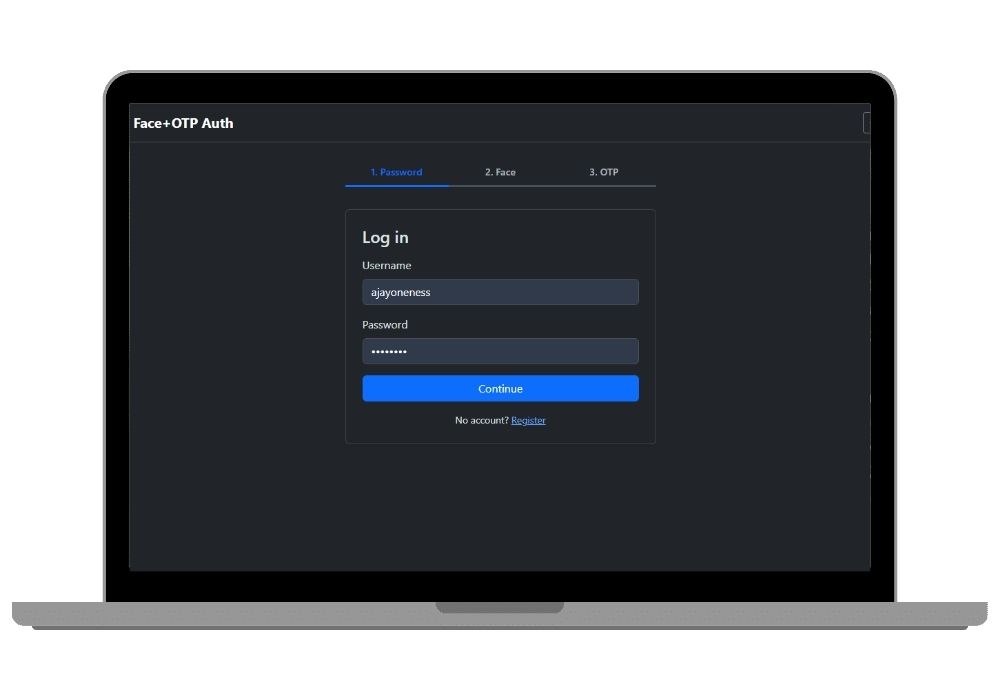
Picture a normal login page. You type your email and password. Then, instead of landing on the dashboard, your webcam turns on.
The system compares your face with the encrypted embeddings it stored when you registered. If it's a match, a prompt appears: "Blink twice" or "Smile" or "Turn right". You've got 15 seconds. MediaPipe Face Mesh tracks 468 points on your face and checks whether your eyes actually closed (using the Eye Aspect Ratio) or your head actually turned. A photo can't blink. That's the whole trick, and it works.
After that, depending on how risky the login looks, you either go straight in or get an OTP by email, SMS, or Google Authenticator. Every attempt, successful or not, goes into an audit log. Fail the face match too many times and the system quietly snaps a picture of whoever is sitting there and emails it to the real account owner.
Key Features
Face Enrollment and Matching
- Captures 5+ angled frames per user during registration, stores only 128-d embeddings generated by
face_recognition(dlib), encrypted at rest viacommon/crypto.py - Match threshold is configurable through
FACE_MATCH_THRESHOLDin.env, no code changes needed - Users can re-enroll their face from their own dashboard if their appearance changes (new glasses, beard, whatever)
Liveness Detection
- Randomized challenges: blink twice, turn left, turn right, or smile, picked fresh for every login so nobody can pre-record the right response
- Blink detection runs on EAR calculations from MediaPipe landmarks, while head turns and smiles are verified from landmark geometry
- Each challenge expires in 15 seconds
Adaptive OTP
- Three delivery options: email, SMS through Twilio (optional), or TOTP with a scannable QR code for Google Authenticator using
pyotpandqrcode - Risk scoring looks at device fingerprint, IP address, and login hour, and skips OTP only when all three match your usual pattern
- 10 single-use backup recovery codes, in case you lose your phone the night before your viva
Security Hardening
- Account locks after 5 failed attempts, with
django-ratelimitguarding the login endpoint - Intruder snapshot plus alert email when face matching fails repeatedly
- Full
AuditLogmodel recording every login step - CSRF protection and secure cookie settings in the production config, with all secrets loaded from
.env
Dashboards
- User dashboard: login history, active sessions, "log out of all devices", OTP settings, backup codes
- Staff admin dashboard at
/admin-dashboard/with Chart.js graphs for logins per day, success vs failure, spoof attempts blocked, locked accounts, and an intruder photo gallery
Authentication as a Service API
- Django REST Framework endpoints:
/api/register/,/api/face/enroll/,/api/face/verify/,/api/otp/send/,/api/otp/verify/ - Successful OTP verification returns JWT access and refresh tokens through
simplejwt
Accuracy Evaluation (FAR / FRR)
This is the section most students skip, and it's exactly what separates a demo from a proper final year project. Drop images into dataset/genuine/, dataset/impostor/ and dataset/spoof/, then run python manage.py evaluate --threshold 0.55. You'll get accuracy, FAR, FRR, a confusion matrix, and a FAR/FRR-vs-threshold plot saved in the reports/ folder. Paste that graph into your report's results chapter. Done.
Real-World Applications
- Online banking: an extra face-plus-liveness step before a big transfer, so a stolen password alone isn't enough
- Online exam proctoring: confirming the enrolled student is actually sitting at the laptop, not a friend holding up their photo
- Hospital records: doctors accessing patient files with strong identity checks and a tamper-evident audit trail, useful for DPDP-style compliance
- College and office portals: step-up login for admin panels, VPNs and internal tools
- E-governance services: citizen portals that want biometric assurance without plugging into an external biometric database
- Lab or office entry kiosks: the enrollment and FAR/FRR tuning pipeline adapts to fixed-camera hardware
- Identity backend for other apps: the REST API can sit behind any web or mobile frontend
Tech Stack at a Glance
Python 3.11 and Django 5 on the backend. OpenCV, face_recognition (dlib) and MediaPipe for the vision work. pyotp and qrcode for TOTP. SQLite for local development, PostgreSQL for production, with a Docker Compose setup included. Bootstrap 5 and Chart.js on the frontend, Django REST Framework for the API. The code is split into clean apps: accounts, face_auth, liveness, otp, audit, dashboard and api. Your examiner will be able to follow it, which matters more than people think.
The Honest Part
Here's the thing. Installing dlib on Windows is annoying. It wants a C++ compiler, and the first attempt often fails with a wall of red text. We've documented the workaround (pip install dlib-bin gives you a prebuilt wheel with no compiling), but budget an extra 20 minutes for it.
But the rest is easier than it looks. You don't even need to configure a real email account to test OTPs, because one line in .env switches Django to the console email backend and the codes print straight into your terminal. And the test suite runs with pytest even before the computer vision libraries are installed, since the tests that need them just skip themselves.
Who Should Buy This
If you're a student who needs a working project for your college submission, final-year project, semester project, internship, or academic demonstration, this is for you. Whether you're studying BCA, B.Tech, MCA, M.Tech, Computer Science, IT, AI, Data Science, or another related field, you can choose a project that fits your requirements. If you need the source code, project report, documentation, or help setting up and running the project, CodeAj gives you the resources and support to get started faster.
It's a particularly good pick if your specialization leans toward cyber security or computer vision, since it touches both. Mixing domains like this usually impresses external examiners.
Why CodeAj
You get the complete source code, every app, template, migration and management command, plus the Mermaid architecture, login-flow and ER diagrams in the docs/ folder. The project report is written to match what the code actually does, so you won't be defending chapters that describe features that don't exist. And if the webcam won't open or dlib refuses to install, our setup support team will get on a call and sort it out with you. Want more options before you decide? Browse our Python final year projects, check out other Django projects with source code, or look at more computer vision final year projects if face tech is your thing.
Frequently Asked Questions
Extra Add-Ons Available – Elevate Your Project
Add any of these professional upgrades to save time and impress your evaluators.
Live 1-on-1 Mentorship
Personal session with an expert developer
Project Setup
We'll install and configure the project on your PC via remote session (Google Meet, Zoom, or AnyDesk).
Source Code Explanation
1-hour live session to explain logic, flow, database design, and key features.
Want to know exactly how the setup works? Review our detailed step-by-step process before scheduling your session.
₹999
Custom Documents (College-Tailored)
- Custom Project Report: ₹1,500
- Custom Research Paper: ₹1,000
- Custom PPT: ₹800
Fully customized to match your college format, guidelines, and submission standards.
Project Modification
Need feature changes, UI updates, or new features added?
Charges vary based on complexity.
We'll review your request and provide a clear quote before starting work.