Attendify — QR-Based Student Attendance System with Flutter and Django
A production-ready final year project that replaces manual attendance registers with time-limited QR code scanning. Teachers generate a QR code per lecture from their dashboard; students scan it within five minutes using their phone camera.
Technology Used
Python | Django | Django REST Framework | JWT Auth | SQLite3 | Flutter | Dart | Provider | fl_chart | mobile_scanner | qrcode | Pillow


Attendify — QR-Based Student Attendance System
Manual attendance registers are slow, easy to proxy, and produce data that nobody actually looks at. Attendify replaces that entire workflow with a QR code system that takes three seconds per lecture and generates real analytics you can act on. If you are looking for a final year project with source code that solves a real institutional problem, this is a strong pick.
What the System Does
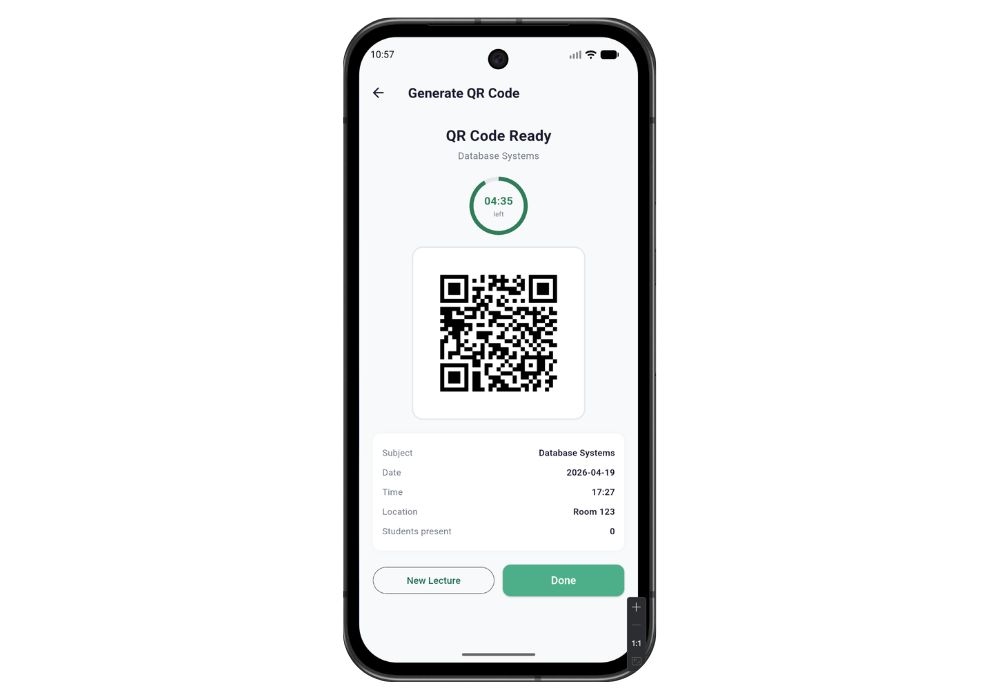
The application has two roles: teacher and student. When a teacher creates a lecture, the backend generates a UUID token and encodes it into a QR code image. That image is displayed on the teacher's screen with a live five-minute countdown. Students open the app, tap the scan button, point their camera at the QR code, and attendance is recorded. Once the five minutes expire, the token is dead — no one can mark attendance retroactively, and no one can share the QR on WhatsApp to mark it from outside the room.
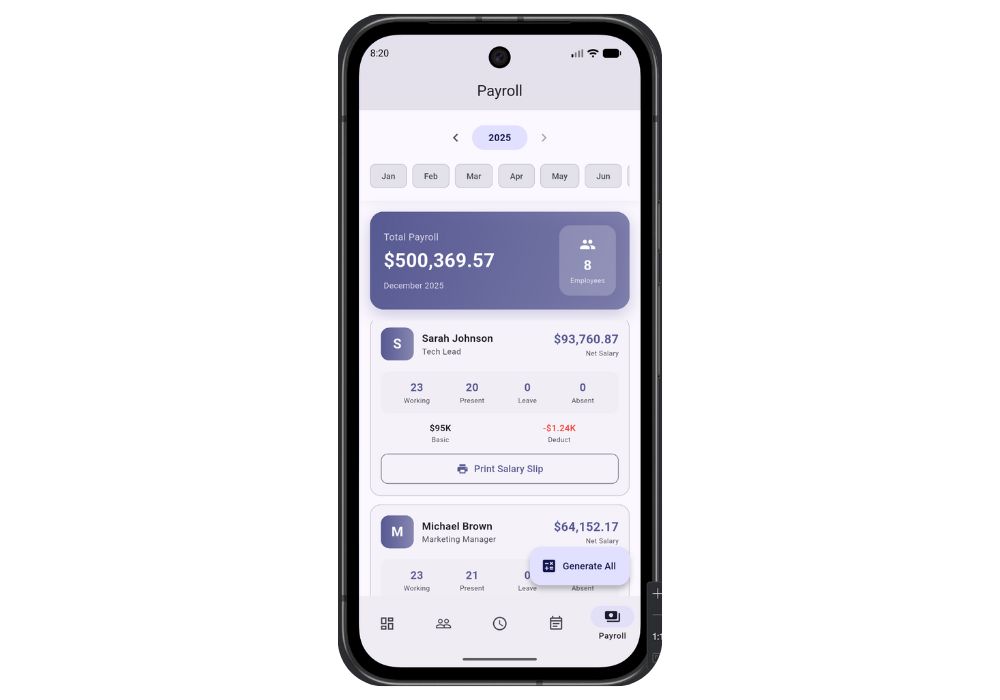
On the student side, the app shows per-subject attendance percentage, a weekly bar chart, a monthly trend graph, and a notification panel for updates from the teacher. On the teacher side, every lecture has a drilldown showing exactly which students were present. Subject-level analytics show total lectures conducted and average attendance across the batch.
Core Features
QR Code Generation and Expiry
Each lecture produces a unique UUID-backed QR code, returned from the Django API as a base64 PNG. The five-minute expiry is enforced server-side — the frontend timer is cosmetic. Duplicate scans return a 400 error, so a student cannot mark attendance twice for the same lecture even if they somehow get the token a second time.
Role-Based Access
Login returns a JWT access token and a refresh token alongside the user's role. The Flutter app reads the role on login and routes the user to either the student dashboard or the teacher dashboard. A student calling a teacher-only endpoint gets a 403. Token refresh happens automatically on 401 responses, so sessions stay alive without forcing re-login.
Attendance Analytics
Students see their attendance percentage per subject displayed as a progress bar. The graph screen pulls weekly and monthly data from a dedicated endpoint and renders it using fl_chart — one of the better charting libraries in the Flutter ecosystem. Teachers get subject-level analytics: total lectures held, average attendance percentage, and a student list per lecture.
Notifications
The app has an in-app notification panel with an unread badge count. Individual notifications can be marked read, or all notifications can be cleared in one tap. This is wired to a real Django notifications app with REST endpoints — not a mock.
Secure Token Storage
JWT tokens are stored using flutter_secure_storage, which writes to the Android Keystore and iOS Keychain rather than SharedPreferences. This is the correct approach for auth tokens and it is already set up in this project.
Technical Architecture
The backend is a Django 4.2 project with four internal apps: users, lectures, attendance, and notifications. Django REST Framework handles serialization and views. Authentication is JWT via djangorestframework-simplejwt. The database is SQLite3, so there is no database server to configure — just run migrations and go.
The Flutter frontend uses Provider for state management. API calls go through Dio, which is configured with an interceptor that catches 401 responses and attempts a token refresh before retrying the original request. Camera access for QR scanning uses the mobile_scanner package.
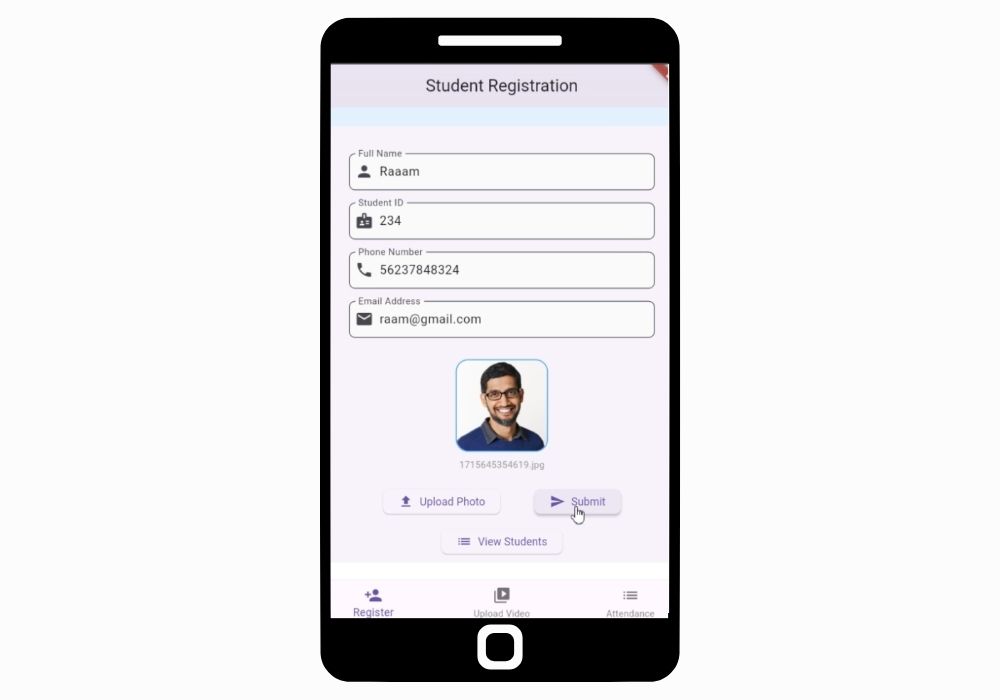
The project ships with a seed data management command that creates one teacher account, five student accounts, three subjects, ten lectures, and randomised attendance records. You can be logged in and exploring the full app within ten minutes of cloning the repo.
Project Applications
The obvious use case is a college attendance system, but the underlying architecture applies to any scenario where you need time-gated, one-time-use token validation with role-based dashboards. The same pattern works for workshop check-ins, event registrations, library access tracking, and corporate training sessions. If you are planning to extend this as a Python final year project, the backend structure is clean enough to add new apps without touching existing code.
What is Included
You get the complete Django backend source code, the complete Flutter app source code, a pre-built project report formatted to standard college submission requirements, and setup documentation. The report covers abstract, system architecture, ER diagrams, use case diagrams, API documentation, and future scope — everything your evaluation panel will look for.
If you need additional help, CodeAj offers project setup sessions with source code explanation, custom report writing, research paper preparation, and PPT creation as add-on services.
Who This Project is For
This project works well for BCA, MCA, BTech CSE, and BSc IT students in their final year who need a full-stack mobile project with a working backend. The tech stack — Django and Flutter — is in demand at the fresher hiring level, so the project does double duty: it clears your submission and gives you something real to explain in an interview.
If you want a project that goes beyond a basic CRUD app, uses JWT authentication correctly, handles real-time concerns like token expiry, and produces charts from actual data, Attendify covers all of that. Browse more AI and Python final year projects with source code on the CodeAj marketplace to compare options before you decide.
Frequently Asked Questions
Extra Add-Ons Available – Elevate Your Project
Add any of these professional upgrades to save time and impress your evaluators.
Live 1-on-1 Mentorship
Personal session with an expert developer
Project Setup
We'll install and configure the project on your PC via remote session (Google Meet, Zoom, or AnyDesk).
Source Code Explanation
1-hour live session to explain logic, flow, database design, and key features.
Want to know exactly how the setup works? Review our detailed step-by-step process before scheduling your session.
₹999
Custom Documents (College-Tailored)
- Custom Project Report: ₹1,500
- Custom Research Paper: ₹1,000
- Custom PPT: ₹800
Fully customized to match your college format, guidelines, and submission standards.
Project Modification
Need feature changes, UI updates, or new features added?
Charges vary based on complexity.
We'll review your request and provide a clear quote before starting work.
Project Files
 Reviews
What Our Students Say
He explained the project clearly and thoroughly. He was very supportive throughout the process and was always available to help when needed. His guidance and assistance made it easier to understand the project and complete tasks effectively.
I had a very good experience with CodeAj Marketplace. The team is professional and supportive, especially Ajay Pandit sir who guides clearly throughout the project. The work was completed neatly and according to requirements. A great place for learning and project development. Highly recommended for students and developers.
Excellent explanation! Concepts are explained in a very simple and understandable way. It really helped me a lot in improving my knowledge. Great work!
Codeaj was really helpful with my project, especially during the customization part. He didn't just do the work but also took the time to explain everything, from the project structure and database to the code itself. It was a huge help, especially for students trying to understand how everything fits together. I really appreciated his support and the way he made things easier to follow.
Working with CodeAj Marketplace has been such a positive experience. The projects delivered are original, carefully crafted from scratch, and tailored to meet expectations with impressive attention to detail. What really makes him stand out is his willingness to go the extra mile — not just in creating outstanding work, but also in helping others understand how everything functions. He explains things clearly, addresses questions patiently, and ensures the whole process feels like a learning journey instead of just a handover. On top of the technical expertise, his calm and approachable personality makes communication effortless. No unnecessary stress, just smooth collaboration and genuine support. I truly value the dedication he brings to his work and would highly recommend him to anyone in search of high-quality, authentic projects.
I purchased a project from him recently and I have to say it's one of the best decisions I've made. The project was absolutely beautiful, built completely from scratch with no shortcuts, and perfectly matched what I wanted. What makes him stand out is not just his ability to create anything we ask for, no matter how complex, but also the way he helps us understand every part of it. He patiently explains the process, clears doubts, and makes sure we actually learn from the project instead of just using it. On top of his skills, his personality is amazing — he's calm, chill, and very friendly to talk to. There's no stress when working with him, only smooth communication and genuine support. I truly appreciate the effort he puts in and would highly recommend him to anyone looking for original, high-quality projects.
I received my project from CodeAJ Marketplace on time, and the work was very neat and well-presented. The team maintained good communication and delivered everything as promised. I appreciate their timely completion and professional approach.
I sincerely thank Mr. Ajay Pandit for his constant support and valuable guidance throughout the project. His timely advice, encouragement, and expertise greatly contributed to the successful completion of the work. I'm truly grateful for his mentorship.
I had an outstanding experience with CodeAj while developing my mobile app. Their team was incredibly cooperative, ensuring every customization I requested was implemented flawlessly. The service was top-notch, and the final product exceeded my expectations. Highly recommend CodeAj for anyone seeking professional and reliable app development services! 11/10
I would like to sincerely thank Ajay Pandit for providing me with the project. His guidance and explanation of the system's architecture, modules, and AI integration were extremely helpful in understanding the project thoroughly. Ajay's support played a key role in helping me implement the hotel booking and payment module effectively. His willingness to clarify concepts and walk me through complex logic made the learning process smooth and insightful. I truly appreciate his mentorship and the time he dedicated to ensuring I was well-prepared for both the development and presentation of this project.
I had a great experience with the project I purchased. It was well-structured and met all my expectations. The team was responsive and supportive throughout, addressing all my queries promptly. Highly recommended for anyone looking for quality projects and good service.
I'm really thankful to Codeaj for helping me with my project explanation and guiding me throughout. Your support made everything much easier and clearer.
The project he made was wonderful, and the way he patiently listened, understood all my ideas and presented them so well in the project, was amazing. I would highly recommend him to everyone.
I would like to sincerely thank Ajay Pandit for providing me with the project. His guidance and explanation of the system's architecture, modules, and AI integration were extremely helpful in understanding the project thoroughly.
Too good experience, I love their projects and they are available for you to help, they are incredible good. Must avail their services. I am happy customer.
The team was very supportive and their explanation was very good, they are clarifying each and every doubts with lots of patience. Highly recommended for quality projects.
I really like their work and they made good project in less amount.
Thank you, CodeAj Bro, for supporting the Doctor Appointment System project. Your guidance during the project setup, installation, and report creation was very helpful and greatly appreciated.
One of the best Software Developer provide the best setup environment for project, good explain skills, and good technical skills, step by step explain project through google meet and budgetly price project Available.
Thank you so much for your excellent work on our project! Your kindness and clear explanations made the entire process smooth and enjoyable. Highly recommend!
Really very supportive, helpful and kind, loving nature. Available for any time for any query, highly recommend to get projects from him.
Awesome projects. They support on setting up the project after purchasing. Completely legal one. Affordable projects too.
Code AJ guide team are very formal, friendly to setup project step by step and explain each question 🙂
Thank you codeAj, Best site to get your project done quickly, with fast responses and instant clarification of any project-related doubts.
I really liked the work, and they solved my issues very well too.
They provide very good service and code also running condition and they fulfill all the queries it's very helpful.
Really helpful, makes things easy to understand and very kind nature, you can look forward to get help from here.
Thank you so much for building the Project for my requirement.
Looking forward to many many collaborations and always tend to buy the projects.
I am so satisfied with codeAJ because of his help.
Thank you so much sir for your support and help.
Ajay bro has excellent knowledge and his response is nice.
This is a great app I love it with good functionality.
Thank you so much for your help and support.
Highly recommended for the projects.
Loved the project work.
It is super for students.
I recently purchased this project online and I am very satisfied with it. The project was well-designed, properly organized, and included all the necessary files and documentation. The source code was clean, easy to understand, and worked as expected. A special appreciation for the project explanation and setup session. The session was detailed and easy to understand, covering both the project implementation and the complete setup process. All my questions were answered clearly, which helped me understand the project much better. Thanks for giving your time.